Veeam Backups Corrupted? Data Restored
24/7 global experts recover systems from corrupted or ransomware-encrypted Veeam backups.
FREE EVALUATION on all Veeam cases
Veeam Data Protection & Recovery Services
With Veeam being the industry leader, most of the backups we handle daily are processed through its platform. This extensive experience gives us deep insight into its unique functionalities and allows us to efficiently adapt our tools for optimal recovery.
Protecting Your Veeam Backups From Future Corruption
While we can restore data from even severely damaged Veeam backups, prevention remains the most reliable safeguard against data loss. A few disciplined practices significantly reduce the risk of encountering a corrupted or inaccessible backup in the first place.
- Follow the 3-2-1 backup rule: keep at least three copies of your data, on two different media types, with one copy stored offsite or offline.
- Enable immutability or air-gapped storage for at least one backup repository, so ransomware cannot encrypt or delete your most recent recovery points.
- Run regular restore tests rather than assuming a completed backup job guarantees a usable file.
- Keep Veeam Backup & Replication and its supporting infrastructure updated, since outdated agents are more prone to compatibility-related corruption.
- Monitor backup job logs closely, as early warnings about failed synthetic fulls or interrupted transfers often precede a fully corrupted VBK file.
Following these steps will not eliminate every risk. However, they meaningfully shrink the window in which a hardware failure, ransomware attack, or software bug can turn a routine backup into an emergency recovery case.
VEEAM BACKUP FILE RECOVERY
We recover data from deleted, corrupted, or encrypted Veeam backups, including .VBK, .VIB, and .VRB files. We also restore virtual machines, databases, and files even from compromised or incomplete backup chains.

RECOVERY FROM PASSWORD-PROTECTED
Even if your Veeam backups are protected with a password or further encrypted by malicious software, we can fully restore your files safely. Client-provided passwords are always required to access encrypted backups.

VEEAM NAS BACKUP RECOVERY

FULL COMPATIBILITY ACROSS VERSIONS
We support recovery from any Veeam Backup & Replication version (v7–v13). All compression levels and block sizes are supported.
Swift Data Recovery, Your Files, Faster
We offer clear service packages tailored to your deadline and budget.

Emergency (24/7)
- One-on-One Communication
- In-house engineer, never outsourced
- Average Turnaround Time: 1 to 3 Business Days

High-Priority
- Service during business hours.
- 1 Expert Engineer
- Average Turnaround Time: 3 to 7 Business Days
Standard
- Service during business hours.
- 1 Shared Engineer
- Average Turnaround Time: 7 to 14 Business Days
How can “AS Data Recovery” assist you?
1
Remote file transfer
2
Professional Diagnostics
3
Recovery Extraction Repair
4
Validation and data return
Veeam Backup Data Recovery

Proprietary Recovery Technology
We use custom-built software for analyzing and extracting data from damaged or locked Veeam backups.

Transparent Results Achieved
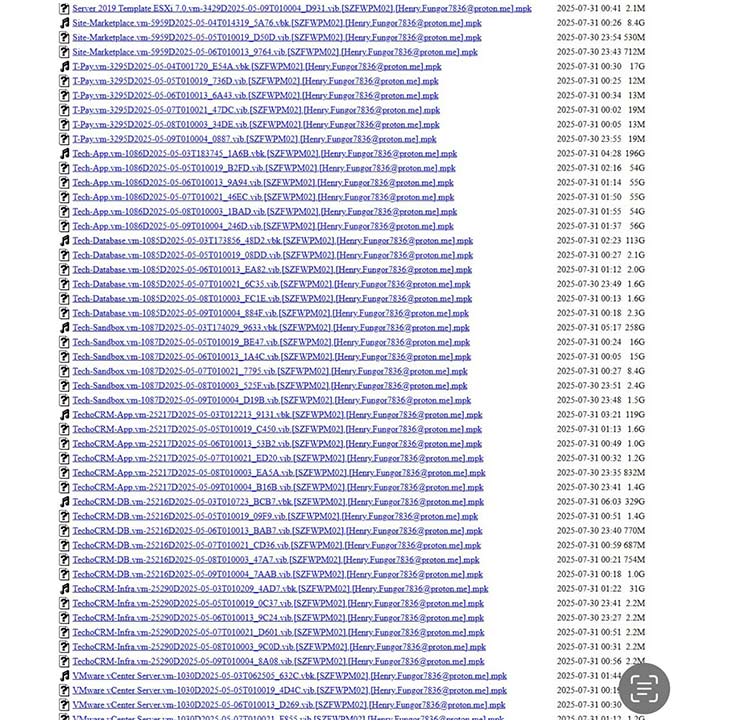
You receive a file list and recovery status report after data extraction for full clarity. Know exactly what was restored.
AS Data Recovery – Veeam Backup Expertise
At AS Data Recovery, we specialize in extracting virtual machines, databases, and files from damaged or ransomware-encrypted Veeam backups.
We can restore full, bootable VMs or recover individual data sets based on client needs. Additionally, we constantly refine our proprietary recovery tools and methods through ongoing R&D and hands-on recovery projects.
The Science of Veeam Recovery, Why Our Success Rate is Higher
The Evolution of Our Proprietary Recovery Suite
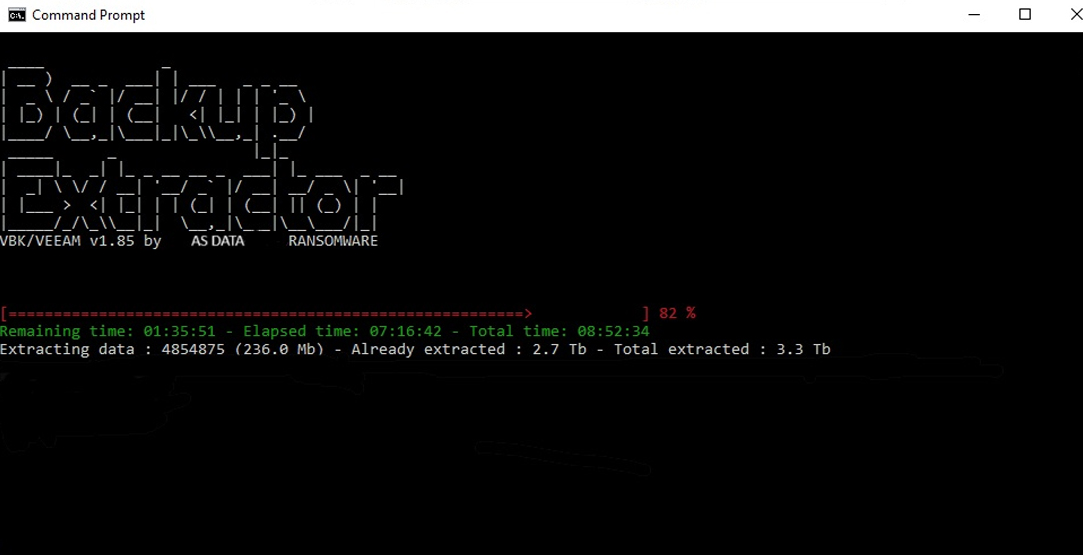
Our own VBK repair tool marked a turning point, allowing us to reconstruct the internal structure of damaged Veeam backup files that were previously deemed unrecoverable.
- The VBK Repair Engine: When the backup file itself is damaged, this tool attempts to fix the structural integrity of the VBK file, often making a standard Veeam restoration possible again.
- The Advanced Backup Extractor: When repair isn’t possible, extraction is the answer. This tool dives deep into damaged backup chains to locate and “surgically” remove the exact data you need—be it a critical SQL database or an entire virtual machine disk—without needing the parent backup file to be 100% healthy.
1- Fill in the form
2- Use Whatsapp for emergencies
Case studies
Unmerging “Two-in-One” Corrupted Veeam Backups
The Perils of DIY, Why Recovering Deleted Veeam Files Requires Specialist Intervention
When critical Veeam VBK files are accidentally deleted or lost due to ransomware, the temptation to use readily available data recovery software is strong. It seems faster, cheaper, and more practical. However, our experience consistently shows that attempting self-recovery often leads to further data corruption and ultimately, irrecoverable files.
- Case 1: The “Right Size, Wrong Data” Deception. We frequently receive calls from clients who’ve used multiple DIY tools (Recuva, EaseUS, Wondershare, etc.) to recover deleted VBK files. While these tools might report a “successful” recovery with the correct file size, deep analysis reveals a devastating truth: the files are often a mix of viable VBK segments interspersed with unrelated, previously deleted data. We recently tackled a case where a client provided three 1TB “recovered” VBK files. After meticulous analysis, combining viable sections from all three, and eliminating duplicates, we were able to salvage 300GB of usable data from the original 3TB provided. This highlights how fragmented and corrupted these “recovered” files truly are.
- Case 2: The “Zero KB” Dead End. A ransomware attack often leads to the deletion of critical backup files. Clients, desperate to recover their Veeam VBKs from NAS devices or RAID arrays, use powerful recovery software only to find all “recovered” files are 0 KB. This is a common and disheartening outcome, particularly with NAS devices where file system corruption is rampant after such attacks. Generic software lacks the low-level understanding of Veeam’s file structure or the intricacies of underlying storage to piece together deleted fragments meaningfully.
Whatever the Cause, We Can Help
Your Expert Partner for Veeam Backup Data Recovery
- Ransomware attack and lost Veeam Backup files?
- VBK files deleted by mistake?
- Hardware damage leading to inaccessible Veeam Backup data?
- Problem restoring your Veeam Backup files?
- Veeam displays the error “All instances of the storage metadata are corrupted”?

Cyber Attacks
Malicious encryption or deletion targeting the backup infrastructure: ransomware encrypting VBK, VIB, or VRB files, or backup server partitions.

Hardware Faults

File Corruption

Veeam-Specific Issues
Two Main Recovery Modes, Remote or In-Lab
We use the SFTP protocol exclusively for maximum security during transfers. The integrity of all files is checked upon arrival to guarantee that the recovered data is identical to the original.
Recovery by Download
Setting up the file transfer method is instantaneous, requiring no technical skills. As a result, we can begin working on your recovery as soon as the first file is received. The simplicity and speed of setting up the data transfer offers immediate and easy access to your data recovery.

Remote Recovery
We can work directly on your servers, including, Microsoft Windows: From 2003 to 2022. Red Hat, Debian, etc. Apple Mac OS X. No need to download files locally to start the process. It requires a stable and fast Internet connection to ensure smooth remote operation.
Data Recovery FAQs
Frequently asked questions
Get fast, accurate answers to common questions regarding ransomware and data recovery. Find essential information about ransomware attacks, effective decryption, and AS Data Recovery’s expert support. We guide you from prevention to full recovery, showing how to respond swiftly and strengthen your digital defense against future threats.
What types of Veeam data loss scenarios can you handle?
We recover data lost due to various causes, including ransomware attacks that encrypt VBK/VIB/VRB files, hardware failures (disk/RAID issues), human errors (accidental deletion, configuration mistakes), and file corruption (network outages, incomplete restorations). We also handle the critical Veeam error, “All instances of the storage metadata are corrupted.”
Which versions of Veeam Backup & Replication do you support for recovery?
How do you perform the data recovery - remotely or in-lab?
We offer two main methods:
- Remote Recovery (Preferred): This is done by secure file transfer (SFTP), or remotely accessing your servers (Windows, Linux, macOS).
- In-Lab Recovery: This is reserved for complex cases where remote access is impossible or physical media intervention is required.
How long does a typical Veeam data recovery take?
Recovery time depends on the extent of the damage, the size of the backup files, and the transfer speed. However, our 24/7 experts and high-speed infrastructure ensure a rapid response and immediate start to the process, minimizing your overall downtime.
Is the data transfer secure?
AS IT TECH
Veeam backup recovery
Buy recovery software at asittech.com →Free downloads
From AS IT TECH — asittech.com, our software and guides site.